TextExpander Alternative for Mac: When You Need Rewriting, Not Snippets
Looking for a TextExpander alternative for Mac? Here's an honest breakdown of the snippet tools worth switching to — and where an AI rewriter beats all of them.
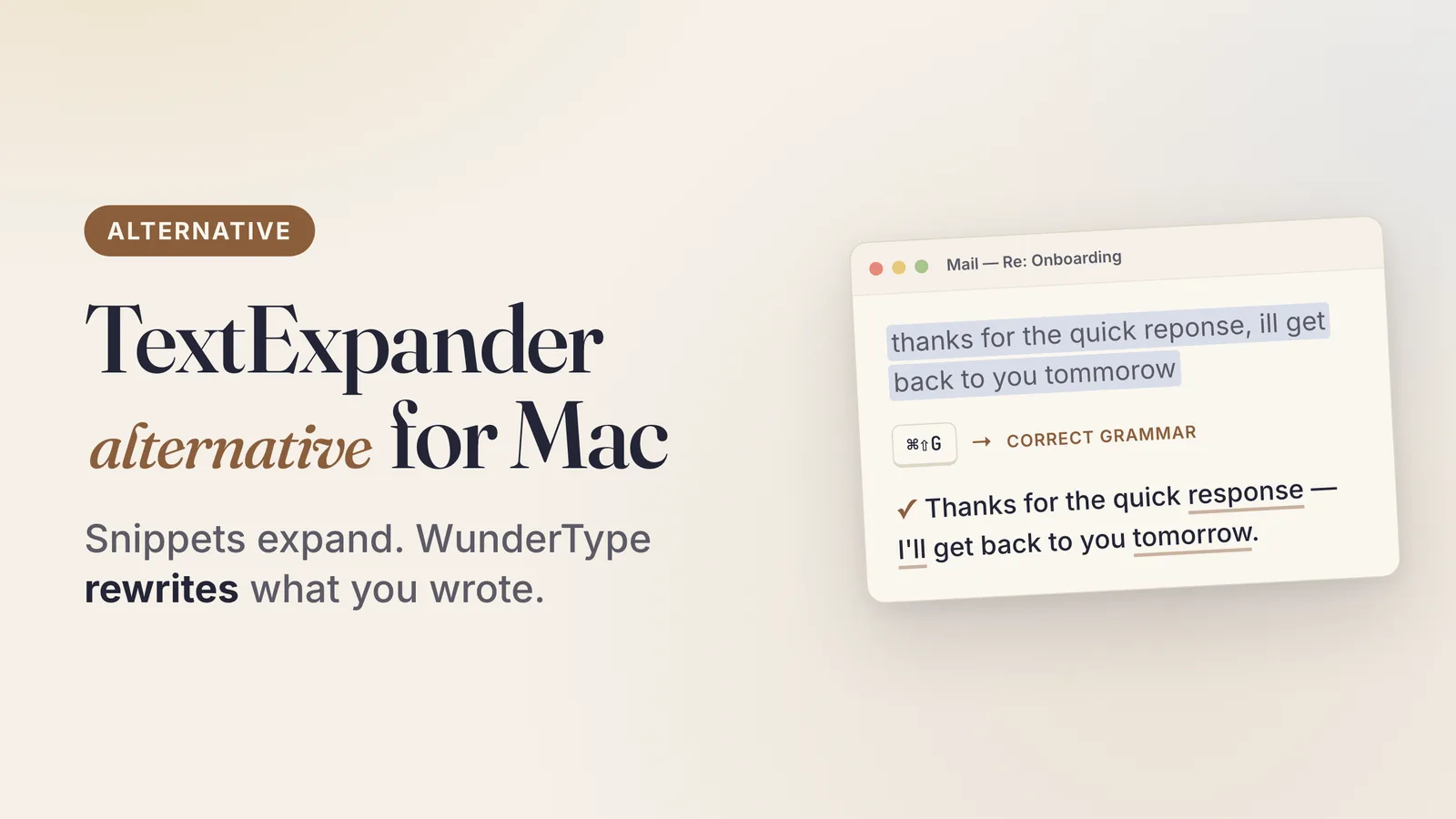
Most “TextExpander alternative” lists hand you ten snippet managers and call it a day. This one starts with a question those lists skip: are snippets actually what you need?
Because there are two very different problems hiding behind the same search. One is “I retype the same block of text forty times a week.” The other is “the text I just typed isn’t good enough.” TextExpander solves the first one well. It doesn’t try to solve the second, and neither do most of its competitors.
WunderType is built for the second problem. It is not a drop-in TextExpander replacement, and this post isn’t going to pretend otherwise. If you need deterministic, literal snippets, scroll to the comparison table, pick one of the snippet tools, and go — that’s a legitimate answer.
What TextExpander actually does
TextExpander is an abbreviation expander. You store a snippet, assign it a trigger, and every time you type that trigger in any app, the snippet replaces it. Type ;addr and your full mailing address appears. Type ;refund and a three-paragraph refund policy lands in the reply box.
Its genuine strengths, and they are real:
- Determinism. The same trigger produces byte-identical output, every time. For legal disclaimers, support macros, code boilerplate, and invoice terms, that predictability is the entire point.
- Fill-in fields and dynamic content. Snippets can prompt for variables, insert dates, do simple math, and run scripts.
- Team sharing. Snippet groups can be shared across a team so everyone’s canned replies stay in sync — this is TextExpander’s clearest differentiator against every one-person alternative on this page.
- Cross-platform. The TextExpander site lists Mac, Windows, Chrome, iPhone, and iPad.
Nothing below is an argument that TextExpander is bad at its job. It’s very good at its job. The question is whether its job is your job.
Why people look for a TextExpander alternative
The reasons show up over and over in Reddit’s r/macapps threads and the Mac Power Users forum, and they’re consistent:
- The subscription. As of September 2026, TextExpander’s pricing page lists a free tier capped at 5 active snippets, a Pro plan at $6/user/month billed annually ($60/year), and a Business plan at $12/user/month billed annually ($120/year). For a solo Mac user who just wants their email signature to expand, that’s a recurring bill for a feature macOS partly ships for free.
- It moved from a one-time license to a subscription. A lot of the search volume behind “textexpander alternative” is people who bought a license years ago and don’t want to rent it now.
- It’s a lot of app for a small need. Accounts, sync, teams, and snippet libraries are overhead if you have eleven snippets.
- Snippets need maintenance. Every snippet is something you wrote, categorized, and now have to remember the trigger for. Libraries rot. People stop using the ones they forgot.
- It doesn’t improve your writing. This is the one nobody lists, because it was never a TextExpander feature. But it’s the actual reason a lot of people are dissatisfied: expanding
;sigdoesn’t help when the four sentences above the signature are the part you’re unhappy with.
The first four have snippet-shaped answers. The fifth doesn’t.
The snippet alternatives worth knowing
If determinism is what you need, these are the names that come up in every credible comparison, and one of them is probably your answer:
- Espanso — free, open source, cross-platform, written in Rust, configured through YAML files rather than a GUI. The strongest free answer if you’re comfortable in a text editor. This is the tool to reach for if “textexpander free alternative” is literally your query.
- macOS Text Replacement — built into the system at System Settings → Keyboard → Text Input → Text Replacements, syncs to your iPhone and iPad through iCloud, costs nothing. Limited to plain, static strings with no fill-ins or scripting, but it covers signatures and addresses for free. Yes, your Mac has a built-in text expander.
- Typinator, aText, Rocket Typist — established Mac-native snippet apps, all sold with one-time or lifetime purchase options rather than a per-seat subscription. Rocket Typist is on the Mac App Store; Typinator has been shipping since the PowerPC era.
- Raycast and Alfred snippets — if you already run a launcher, you may already own a snippet expander and not know it.
Pick from that list and you have replaced TextExpander. That’s a real recommendation, not a setup for a bait-and-switch.
Where WunderType fits — a different category of tool
WunderType doesn’t store snippets. There is no library, no trigger, no abbreviation to remember. It works the other way around:
- Select text you’ve already written — in any app that handles text.
- Press a shortcut — ⌘⇧G by default, rebindable, and every custom prompt can get its own key.
- The selection is replaced in place with a corrected or rewritten version. Your clipboard isn’t touched, and no window steals focus.
It works system-wide through the macOS Accessibility API — Mail, Notes, Pages, Slack, Chrome, VS Code, Terminal, anywhere you type — and falls back to copy/paste in Electron apps, restoring your clipboard afterwards.
Five modes ship in the box: Correct Grammar, Improve Writing, Make Concise, Make Formal, Make Casual. Beyond those, you can write unlimited custom prompts in plain English — translate, summarize, rewrite for a specific audience — and a Generate button turns your plain-English description into a tuned system prompt.
The honest framing: TextExpander recalls text you wrote before. WunderType rewrites the text you just wrote. A snippet is fixed; a WunderType output is generated fresh from whatever you selected. If you need your refund policy to come out word-for-word identical every time, that’s a snippet tool’s job, not an AI’s. If your actual problem is that your Slack message is too blunt or your email has three typos in it, no snippet library will ever fix that, because you can’t pre-write a snippet for a sentence you haven’t typed yet.
Plenty of people run both. They don’t compete for the same keystroke.
Side-by-side
| TextExpander | WunderType | |
|---|---|---|
| Approach | Store a snippet, type a trigger, get fixed text | Select existing text, press a shortcut, get it rewritten |
| AI options | AI features on its own platform | On-Device (Apple MLX, on your Mac’s GPU), Ollama, OpenAI, or OpenRouter — your choice, switchable any time |
| Pricing | Free tier (5 snippets); Pro $6/user/mo billed annually; Business $12/user/mo billed annually (pricing page, Sept 2026) | $8.99 one-time on the Mac App Store, free updates, Family Sharing |
| Maintenance | You write, name, and remember every snippet | Nothing to maintain — no library, no triggers |
| Privacy | Account-based, snippets sync through its service | No backend, no telemetry, no accounts; On-Device mode never sends text anywhere. API keys live in the macOS Keychain |
| Platform | Mac, Windows, Chrome, iPhone, iPad | macOS 15 Sequoia or later (On-Device AI needs Apple Silicon) |
Is there a free TextExpander alternative?
Yes, and it depends on what “free” has to cover.
Free forever, deterministic snippets: Espanso, or macOS Text Replacement if your snippets are plain strings. Both cost nothing and neither expires. TextExpander’s own free tier also exists, capped at 5 active snippets.
Free ongoing AI, after buying the app: this is where the math gets interesting. WunderType’s On-Device mode runs the model inside the app on your Mac’s GPU via Apple MLX — no API key, no account, no per-word cost, and fully offline after a one-time model download. You can also point it at Ollama running locally on your own machine. Either way, after the one-time $8.99, the AI itself doesn’t meter you.
One correction worth making, because it’s the most common mistake in this space: WunderType’s on-device option is not Apple Intelligence. It’s Apple MLX running open models such as Gemma 3, Granite, and Phi-4 Mini locally. Different thing entirely.
If a recurring bill is the specific reason you’re here, it’s worth looking at one-time purchase AI apps for Mac more broadly — the subscription-free corner of the Mac software world is larger than it looks.
Does this replace grammar checking too?
Partly, and it’s worth being precise. Correct Grammar mode fixes spelling, punctuation, and grammar in the selection and puts the result back where the original was — no side panel, no web app, no copy-paste round trip. That covers the everyday case that sends people to a browser tab.
What it isn’t is a live, as-you-type underline system. It runs when you press the shortcut, not continuously. If you want the continuous kind, or you’re weighing the built-in macOS tools against dedicated apps, the grammar check on Mac comparison goes deeper, and turning off autocorrect is often the first step for people who want to control when corrections happen instead of fighting them mid-sentence.
The verdict
Choose TextExpander (or Espanso, Typinator, aText, Rocket Typist) if:
- You retype the same exact text repeatedly and need it identical every time
- You need fill-in fields, scripting, or date math inside snippets
- Your team shares canned replies and needs one synced library
- You want Windows, iPhone, or iPad coverage alongside your Mac
- Your snippets are legal, medical, or contractual text where “close enough” isn’t acceptable
Choose WunderType if:
- Your problem is “make this better,” not “paste this exact block”
- You want grammar, tone, and length fixed in place, in whatever app you’re already in
- You’d rather pay once than subscribe
- You want the AI to run on your own machine, or to bring your own API key
- You have no interest in building and maintaining a snippet library
And if you want both — a snippet expander for the boilerplate, an AI rewriter for everything else — that combination works fine. They never fire on the same keystroke.
WunderType is $8.99 once on the Mac App Store. No subscription, no account, no telemetry, roughly 20 MB, and it asks for one entitlement: network client. If you’re comparing it against other options in this space, the best AI writing apps for Mac roundup has the wider field.
Alter Alternative for Mac: A Focused $8.99 Writing Tool vs. the Premium AI Copilot
Alter is a superb Mac AI copilot, but its cloud plans cost $240/year. If you mainly fix and improve text, WunderType covers that loop for $8.99 once.
Related →Raycast AI Alternative for Writing on Mac: Keep the Launcher, Skip the Subscription
Love Raycast but not the AI subscription? See why writers pair the free launcher with a one-time $8.99 tool that fixes text in place in any Mac app.